
Viraly Review – How Good Is This Social Media Tool? (2026 Edition)


Let me start with a confession.
Most social media tools annoy me.
Not because they are “bad,” but because they promise simplicity and then bury you under menus, settings, tabs, and features you never asked for.
Viraly is one of the few tools I have used where I immediately thought, “Okay. Whoever built this actually uses social media for real.”
That matters.
Because if you are posting consistently, trying to grow an audience, or managing content for a business, you do not need more software.
You need fewer decisions, fewer steps, and fewer things to break.
That is where Viraly quietly wins.
But is Viraly right for you? That depends. In this Viraly review, I’ll break it all down to make your decision easier. I’ll cover key features, pricing, pros and cons, and more.
Note: Viraly is currently my go-to social media tool. That should say all you need to know. But we all have different needs so I’d recommend taking it for a spin for yourself. Click here to try it for free.
What is Viraly?
Viraly is a powerful social media management platform.
But more importantly, it is designed to answer one core question:
“How do I stay consistent on social media without it taking over my life?”
Inside one dashboard, you can schedule posts, recycle content, analyze performance, collaborate with a team, generate captions with AI, and even create a bio link page that replaces separate tools.
It is not trying to be flashy. It is trying to be useful.
And that distinction shows up everywhere.
Key features
Post scheduling and publication
Viraly allows you to schedule posts across all major social platforms from one dashboard. You’ve got the usual suspects like Facebook, Instagram, YouTube, Threads, LinkedIn, etc. But you’ve also got the others you may not expect like Bluesky and Mastodon.
The posting process is straightforward. You write your content, choose the platform, set the time, and move on.
What stands out is how little friction there is. You are not constantly forced to tweak settings or jump through hoops for each network. But those extra important details are also there. Features like first-comment scheduling, and that sort of thing.
For anyone posting regularly, this saves more time than you might expect.
Content calendar
The content calendar is visual, clean, and easy to understand.

You can view posts by week, or month and drag content around as plans change. This makes it easy to spot gaps, avoid overposting, and keep a balanced schedule.
Instead of feeling like a control panel, the calendar feels like a planning board you actually want to use.
And there are a few extra nice details here.
You can limit the number of posts per day that are displayed. Helps keep the calendar clean.
Want to filter by post status? You can. You can even see drafts and failed posts.
And, to the left of the calendar you’ll also find access to the media library, hashtag lists, idea board, and more.
Content recycling
Content recycling is hands down my favorite feature in Viraly.
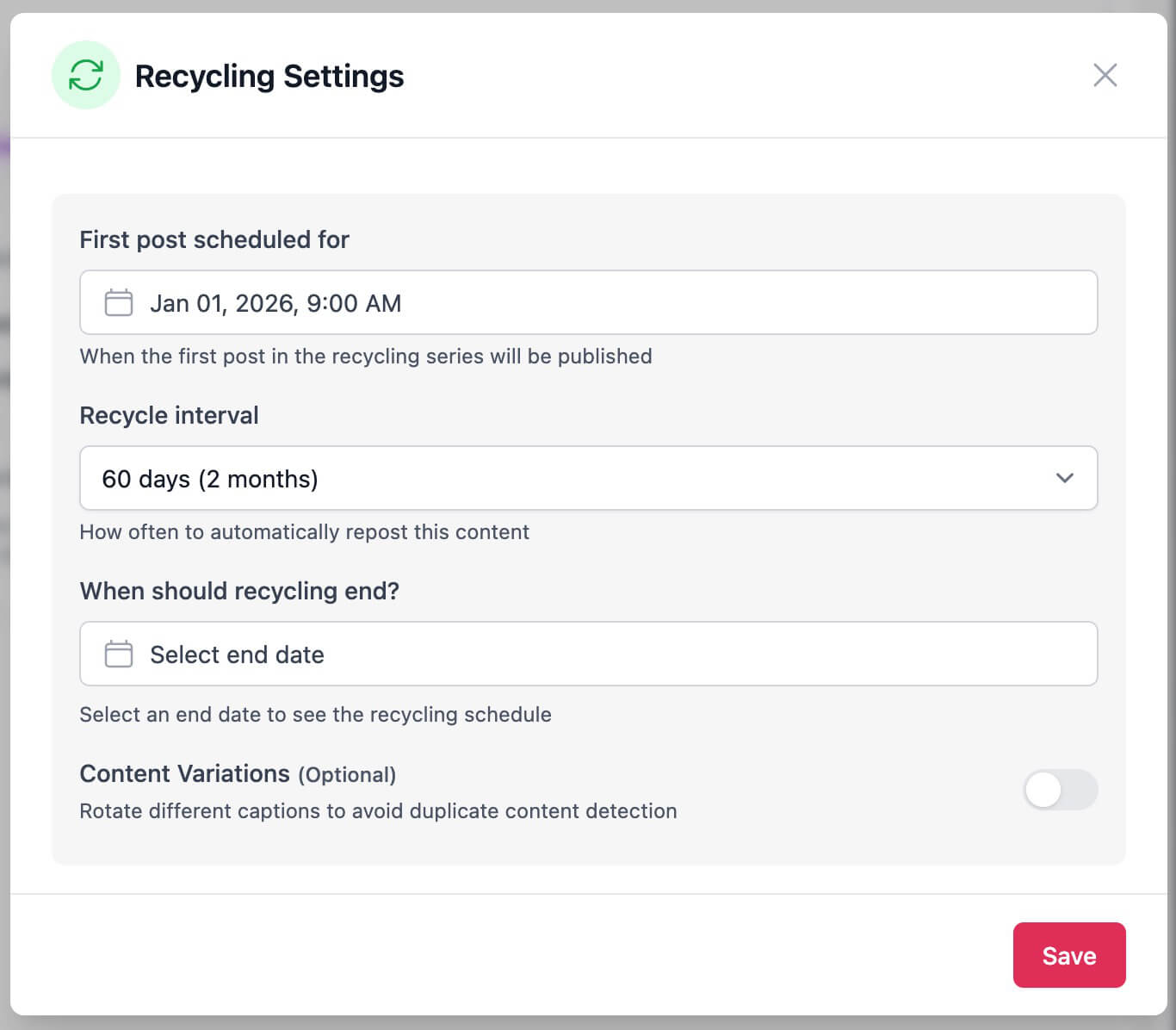
You can automatically reshare evergreen posts on a schedule, limit how often they repeat, and create variations so your content does not feel repetitive.
Those variations? You can create them manually or with the assistance of AI.
So, Viraly is very well suited to creators or businesses with evergreen content.
This feature turns your best posts into long term assets instead of one time efforts.
It can also be pretty useful for campaign-based or event-based content. Couple this with content categories to make it even more useful.
AI content assistance
Ok, I already mentioned that the content recycling feature helps you create content variations with the help of AI.
But you’ll also find AI baked into the post composer and other parts of the tool.
The thing I like most though? The AI functionality is practical rather than gimmicky. It is designed to speed up creation rather than distract you with possibilities that don’t go anywhere.
If you already know what you want to say but want help polishing or adapting it for different platforms, this feature is genuinely useful.
Bio link pages
Generally, bio link pages come in two different flavours.
You’ve got the standard “button” based page. It’s just that. A bunch of buttons leading to your best content. Add the link to your bio on Instagram and you’re away.
Then there is the grid-based option. These tend to mirror your IG feed so when you post an image and say “Link in bio” – people know exactly what to look for.
They’re pretty much a carbon copy of your IG feed but each post is a clickable link that goes where you want it to. It’s a nice workaround to the challenge!
There are exceptions, however. But not many.
Anyway, bio link tools are a dime a dozen these days. First came the dedicated tools. Then all-in-one social media tools started adding the feature to their repertoire
No additional cost or limitations on things like clicks that some of the dedicated ones have. Just a nice Brucie Bonus, if you will.
And all because Instagram didn’t want to add clickable links.
Now, the differentiator with Viraly is that its bio link feature beats most dedicated tools. I really can’t think of a reason where a third-party tool would even be necessary here.
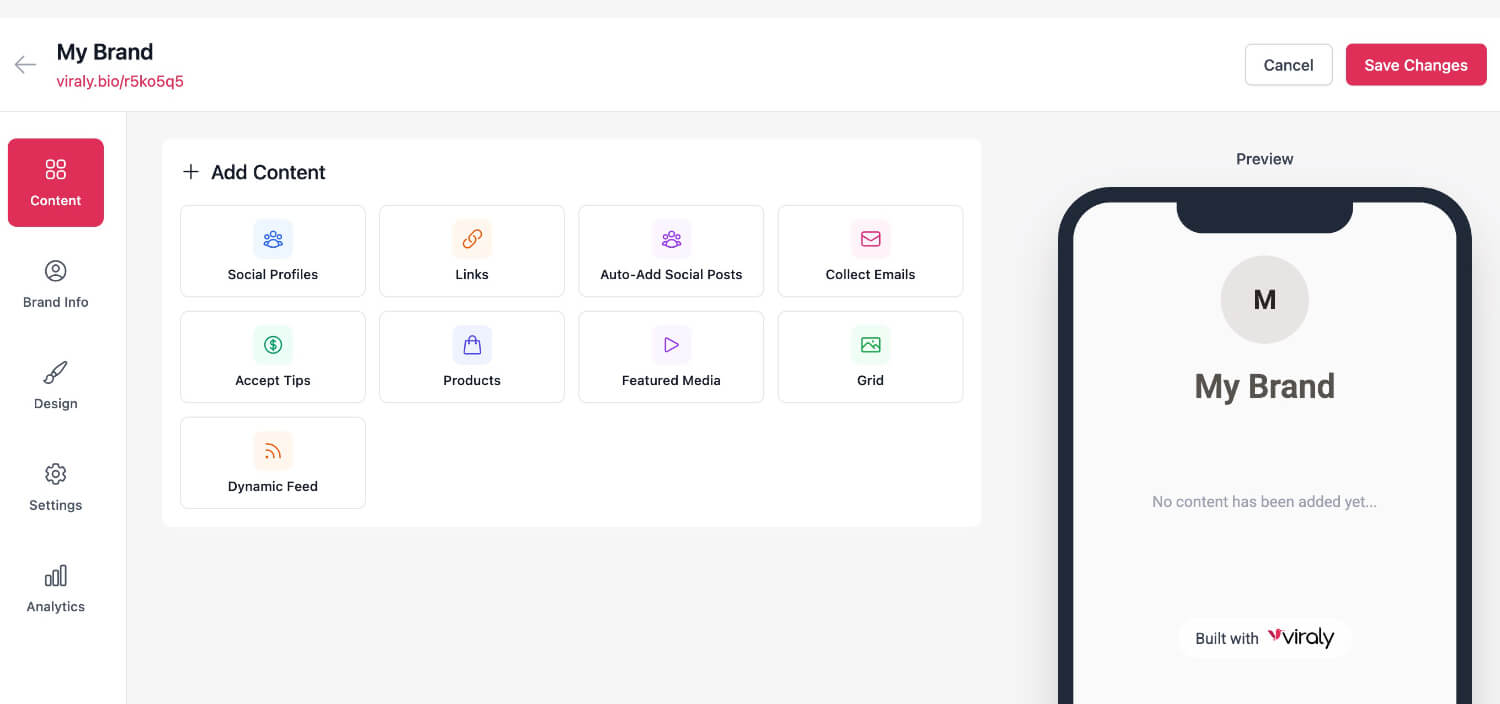
You can collect donations via platforms like BuyMeACoffee, or even build your email list directly with integrations to platforms like Kit, MailerLite, and more.
I like this a lot.
Analytics and reporting
Viraly provides clear analytics across connected platforms.
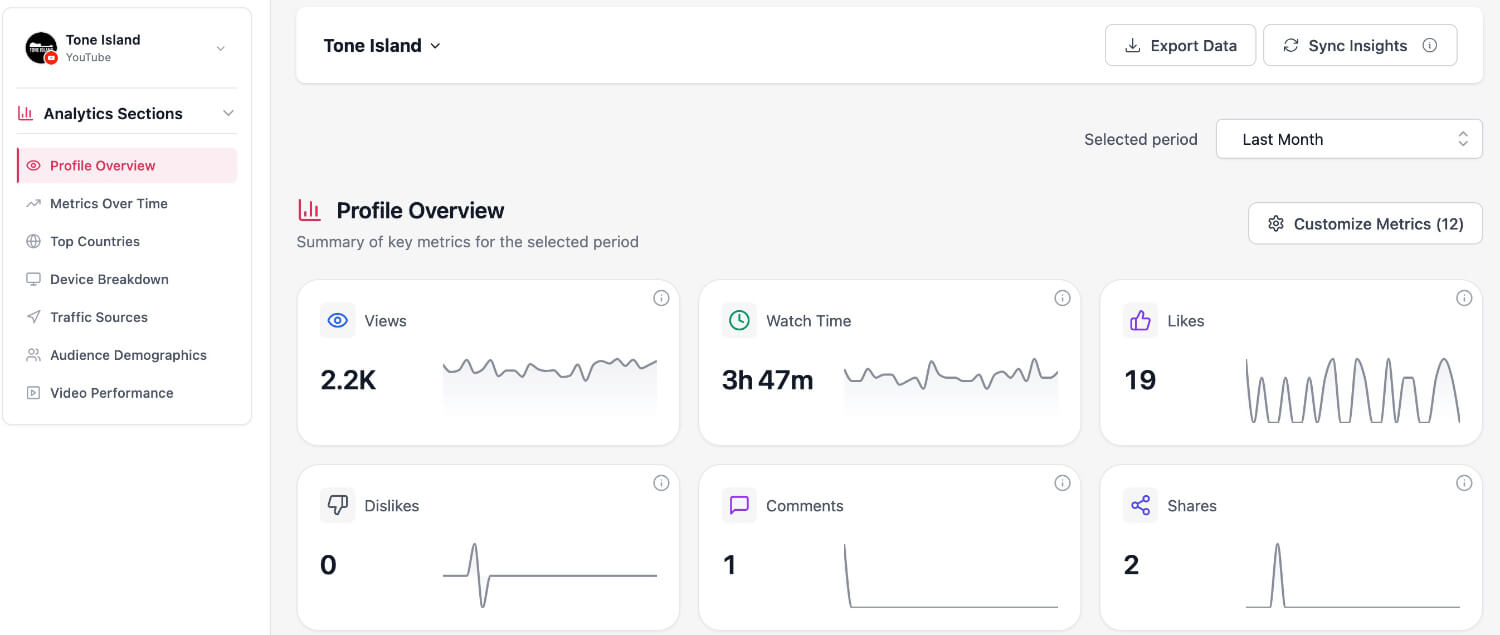
You can track engagement, growth, and performance trends without being overwhelmed by unnecessary data.
The reporting is designed to answer simple questions:
- What is working?
- What is not?
- What should I post more of?
For most users, that level of insight is exactly what they need.
Team collaboration
Viraly supports collaboration through user roles and approval workflows.
This is helpful for agencies, teams, and anyone who wants content reviewed before it goes live.
It adds structure without slowing things down, which is harder to achieve than it sounds.
Pricing overview
Here’s the breakdown:
- Free Forever Plan – Basic scheduling + limited features
- Influencer Plan – $19/mo with 200 posts/month
- Business Plan – $49/mo
- Agency Plan – $99/mo with unlimited profiles & scaling tools
Having a free forever option is rare in tools of this caliber. The upshot is that you can pull the trigger on a paid plan when it feels right. You’re not under any time constraints like you would be with a free trial.
But remember that pricing can change so be sure to check the Viraly website for their latest pricing and updates.
Who is Viraly best for?
Viraly is best suited for:
- Content creators who want to stay consistent without overthinking every post
- Small business owners managing their own social media
- Coaches and consultants building a personal brand
- Agencies managing multiple client accounts
- Teams that need simple collaboration and approvals
If you need deep enterprise reporting and other features that clients or C-suite execs (y’no, the ones who don’t “get” social) require you to have when you don’t really need it, then other tools are available.
Pros and cons
Pros:
- Centralized scheduling across all major platforms
- Excellent user interface that’s easy to understand
- Deep content recycling capability
- Intuitive drag-and-drop calendar
- AI-assisted content generation
- Built-in bio link pages
- Team collaboration tools
- Free-forever plan available
- Affordable for solo creators and teams alike
Cons:
- Lacking a robust report builder
- Social inbox (for comment/reply management) still in development
Final verdict
Viraly is not trying to be the most complex social media tool on the market.
It is trying to be the most usable.
If you want to post consistently, reuse what works, and spend less time managing tools and more time creating, Viraly does a very good job of getting out of your way.
For creators, small businesses, and agencies that value simplicity and momentum over complexity, Viraly is absolutely worth considering.
Thanks for checking out my Viraly review. I hope you found it useful. Just remember that it’s your opinion that matters so be sure to try Viraly for yourself before making a decision.
