
14 Best Online Quiz Maker Software (2026 Comparison)


Not sure which online quiz maker software to use? We’ve got you covered.
In this post, we’ll be reviewing and comparing all the best online quiz makers on the market this year.
And to help you sort through the options, we’ll highlight each tool’s key features, pros and cons, and pricing options.
By the end of this post, you’ll have all the information you need to figure out which one is the best fit for your needs.
The best online quiz maker tools
| Tool | Best For | Starting Price / Free Plan | Standout Highlight | Best Fit Reader |
| Interact | Best overall for quizzes | Paid (Free trial available) | Deep branching logic & 50+ native email integrations | Content creators, course builders, and list growth |
| Uplup | Best for most users | Free plan available | AI quiz builder, modern UI & instant lead capture | Solopreneurs & small businesses wanting quick setups |
| ShortStack | Best for teams | Free plan available | Advanced contest workflows & multi-user permissions | Marketing agencies & enterprise campaign managers |
| Outgrow | Best for calculators | Paid (Free trial available) | Numerical inputs, ROI calculators, & complex logic | B2B, SaaS, and data-heavy marketers |
#1 – Interact
Interact is a dedicated online quiz creator with the best template catalog we’ve seen anywhere.

Unlike the other tools we’ve looked at so far, Interact doesn’t aim to be an all-in-one platform, and you can’t use it to build other types of interactive content like giveaways and surveys.
It’s just for making quizzes, and it does that really well.
The best thing about Interact is its templates. There are over 800 of them to choose from in over 40 categories, and they’re still adding more daily.
There’s a good mix of different types of quizzes, from Buzzfeed/Facebook-style viral quizzes (like ‘What dog breed are you?’, Which celeb would be your bestie?’, and ‘how much do you really know about golf?’) to product recommendation quizzes (e.g. ‘Which soap is right for your skin?’, ‘What is your jewelry style?’, etc.) and everything in between.
All quiz templates are fully customizable: You can set your own questions and answers, and change the design to add your own brand colors, fonts, logos, etc. And you can add images to your quiz easily thanks to Interact’s Unsplash integration.
Of course, you don’t have to start from a template. You can also build your quiz from scratch, or answer some questions and let Interact’s AI-powered quiz generator make it for you.
Key features
- 800+ templates
- Email opt-ins
- Lead tagging
- Social sharing
- White label
- Branching logic
- Drag and drop builder
- AI quiz builder
- Analytics
Pros
- Fantastic template catalog
- Very easy to use
- Some unique features (e.g. AI quiz generator)
- Great lead collection/management features
Cons
- Only supports quizzes (can’t build other interactive content types)
- Quiz and lead limits on all plans
Pricing
Plans start from $39/month, save up to 40% when you pay annually. A 14-day free trial is available.
#2 – Uplup
Uplup isn’t just a quiz maker. It’s an all-in-one form and quiz builder with AI-powered creation tools and comprehensive quiz functionality built for marketers. And there’s a free plan!
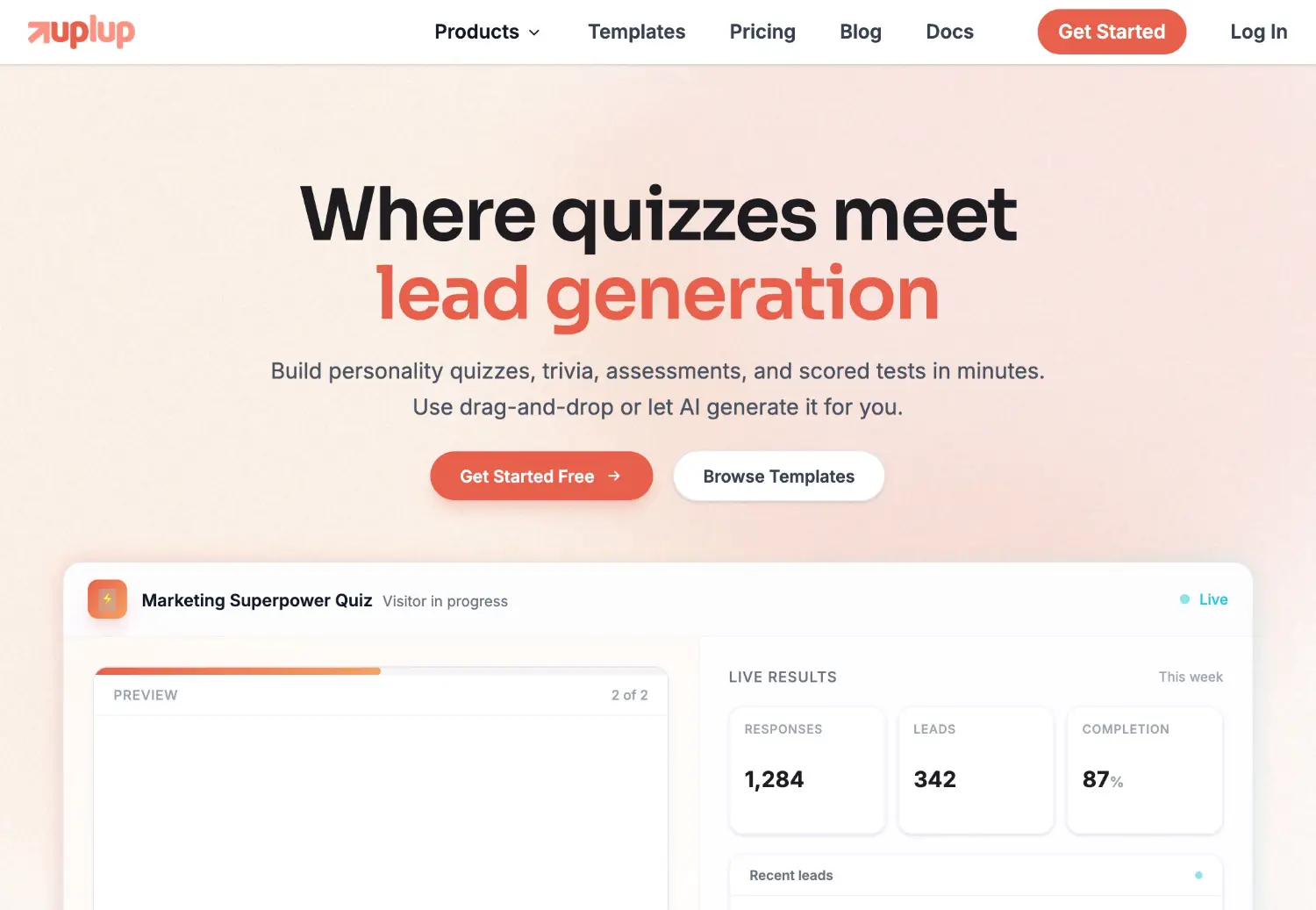
Uplup gives you everything you need to create engaging quizzes that turn your website visitors into leads.
To get started, sign up and choose what type of quiz you want to create. Uplup supports four distinct scoring modes: Points (total points earned), Percentage (score as % of total), Pass/Fail (simple pass or fail result), and Personality (match users to personality types). This flexibility lets you tailor the experience to your exact use case.
There are 25+ preset themes to choose from, and they’re all optimized for conversions. You can also use the AI Theme Studio to generate custom designs from a brand description, uploaded image, or by extracting colors from your website.
The AI quiz builder is a huge time saver. Just describe the quiz you want in plain English and Uplup generates a complete quiz with questions, answers, scoring logic, and even a matching design theme.
You get a lot of control over quiz behavior too. You can set up timed quizzes with auto-submit, enable instant feedback so users see whether they got each question right immediately, randomize questions and answers to prevent cheating, and configure retake policies with cooldown periods.
And you can analyze your quiz performance with detailed analytics. Track views, completion rates, score distributions, and per-question accuracy to see which questions are stumping your audience.
Key features
- AI quiz builder
- 4 scoring modes (Points, Percentage, Pass/Fail, Personality)
- 43+ field types
- Quiz timers & instant feedback
- 25+ themes + AI Theme Studio
- 26+ CRM integrations
- Branching logic
- Question randomization
- Retake policies
- Instant feedback
- Analytics
Pros
- AI creation saves hours of work
- Feature-rich for both forms and quizzes
- Strong quiz-specific features (timers, retakes, scoring)
- Deep CRM integration options (26+ tools)
- Step-by-step presentation mode
Cons
- Some features locked to higher plans
Pricing
Free plan available. Paid plans start from $29/month, with discounts available for annual billing.
#3 – ShortStack
ShortStack is the best online quiz maker for teams. It’s a fair bit pricier than the other tools we’ve looked at so far but it’s also more advanced than most, and it offers some great team-focused features.

With ShortStack, you can build pretty much any type of interactive content you can think of: Quizzes, games, pop-ups, contests, sweepstakes, etc.
There’s a huge template catalog to choose from, including templates for niche content types like instant-spin wheels and virtual scratch cards.
Its drag-and-drop builder is more flexible than most and comes with lots of powerful widgets. And it offers flexible publishing options; you can embed quizzes on your existing site, publish them to standalone landing pages on a subdomain, have them appear as a pop-up (timed, exit-intent, etc.), and more.
But the best thing of all about ShortStack is its team- and agency-focused features. You can add multiple members to your account with custom user roles and access levels, and collaborate with ease. You can also create white-label campaigns under your own brand.
The starting price is higher than most other platforms, but all paid plans include unlimited page views, campaigns, and emails.
Key features
- Quizzes
- Games
- Social media contests
- Coupons and prize codes
- Customization options
- Template catalog
- Email tools
- Team collaboration features
- White labeling
Pros
- Powerful content builder
- Great for teams and agencies
- Enterprise-ready features
- Unlimited campaigns & page views
Cons
- Expensive
- Limited entries
Pricing
Plans start from $49/month, or $39/month when billed annually. Get started with the free plan.
#4 – Outgrow
Outgrow offers a strong suite of lead generation tools. This includes a powerful online quiz, calculator, and chatbot builder built for marketers.

Outgrow gives you everything you need to create engaging, interactive content that turns your website visitors into leads.
To get started, sign up, and choose what type of content you want to create. It’s not just quizzes that you can build with Outgrow but also polls, giveaways, calculators, chatbots, forms/surveys, and more.
There are dozens of pre-built templates for all of the above, and they’re all heavily optimized for conversions and engagements.
All you have to do is select a template that best matches what you’re looking for and then customize it in the drag-and-drop editor.
Typically, Outgrow quizzes begin with a lead gen form where users have to enter their email addresses before they can start (making it easy to grow your email list fast).
Then, you can add as many questions as you want on subsequent pages. You have full control over everything and can customize the design, answer options, messaging, etc.
You can even utilize branching logic to send your quiz respondents down different paths based on the answers they give and conditional messaging to personalize the messages you send them based on their results.
And you can analyze your campaign performance with rich funnel analytics. Keep track of your conversion rate at each stage, and view section- and question-level funnel charts.
Key features
- Quizzes
- Chatbots
- Surveys
- Forms
- Calculator
- Templates
- Drag and drop editor
- Branching logic
- Funnel analytics
- Conditional messaging
- 1000+ integrations
Pros
- Flexible and powerful
- Supports lots of interactive content types
- Easy-to-use editor
- Rich analytics
- Wide range of supported integrations
Cons
- All plans have limits on the number of leads you can generate
- No free plan (only free trial)
Pricing
Plans start from $22/month, but you can save up to 44% when you pay annually. Get started with a 7-day free trial.
#5 – Woorise
Woorise is an affordable all-in-one lead generation and marketing platform that you can use to create quizzes and a wide range of other interactive content types.

If you’re looking for the best value for money, Woorise is the way to go. It offers competitively-priced paid plans. And no matter which plan you choose, you can build unlimited campaigns.
There are lots of pre-made templates for different types of quizzes, which you can customize in the drag-and-drop quiz maker.
For example, you can build personality quizzes that ask users questions and offer insights into their personality, scored quizzes that grade users based on their responses, multiple-choice knowledge quizzes, and more.
And you can set up automatic email notifications to send out quiz results to your users after they finish. Sending results by email is a good way to capture more leads as users need to opt-in to your list if they want to see their results.
Aside from quizzes, you can also use Woorise to create landing pages, forms, surveys, and viral giveaways. And thanks to its Payments features, you can even sell products and collect donations through your Woorise checkout pages.
Key features
- Drag-and-drop quiz maker
- Pre-made templates
- Quizzes
- Landing pages
- Forms
- Surveys
- Giveaways
- Payments
- Automatic email notifications
Pros
- Great value for money
- Unlimited campaigns on all plans
- Feature-rich
- Supports lots of types of interactive content
Cons
- Limited entries on all plans except Pro
- Support could be better
Pricing
Paid plans start from $29/month, and get 20% off with yearly billing. Get started with a 14-day free trial of the Pro plan.
#6 – Jotform
Jotform is a powerful online form builder, but you can also use it to create quizzes thanks to the built-in quiz maker.

You don’t need any coding knowledge or technical skills to build interactive, multiple-choice quizzes with Jotform.
Just choose a template and customize your questions and answers as needed. There are templates for all the most popular types including spelling quizzes, geography quizzes, and pop trivia quizzes.
To create an interactive quiz, you can use conditional logic to personalize the experience for each use. And you can automatically grade answers to show your users how well they did.
When you’re done, you can embed the quiz in your website in seconds.
Or you could even turn your quiz into a mobile app for users to download to their phone with Jotform’s Quiz App Maker.
Aside from quizzes, you can also use Jotform to build lots of other types of forms, apps, tables, and PDFs, as well as your own online store.
Key features
- Quiz Maker
- Quiz App Maker
- Templates
- Automatic grading
- Drag and drop builder
- Form Analytics
- Form Builder
- Report Builder
- Inbox
- Store Builder
- Apps
- Online payments
Pros
- Beginner-friendly
- Rich feature set
- Build quizzes, forms, tables, and more
- Generous free plan
Cons
- Quizzes don’t look as good as some other platforms
- Template catalog could be better
Pricing
Free plan available. Paid plans start from $39/month, with discounts available when billed annually.
#7 – Thrive Quiz Builder (WordPress only)
Thrive Quiz Builder is a dedicated quiz builder for WordPress. Once you’ve installed the plugin, you can start creating your own online quizzes from inside your WordPress website.

Thrive Quiz Builder lets you visualize your quiz in a flow chart, w